MD2Card Column Layout Feature Introduction
New Feature
Tutorial
Markdown
MD2Card now supports left-right and left-center-right column layouts, making your Markdown cards more flexible.
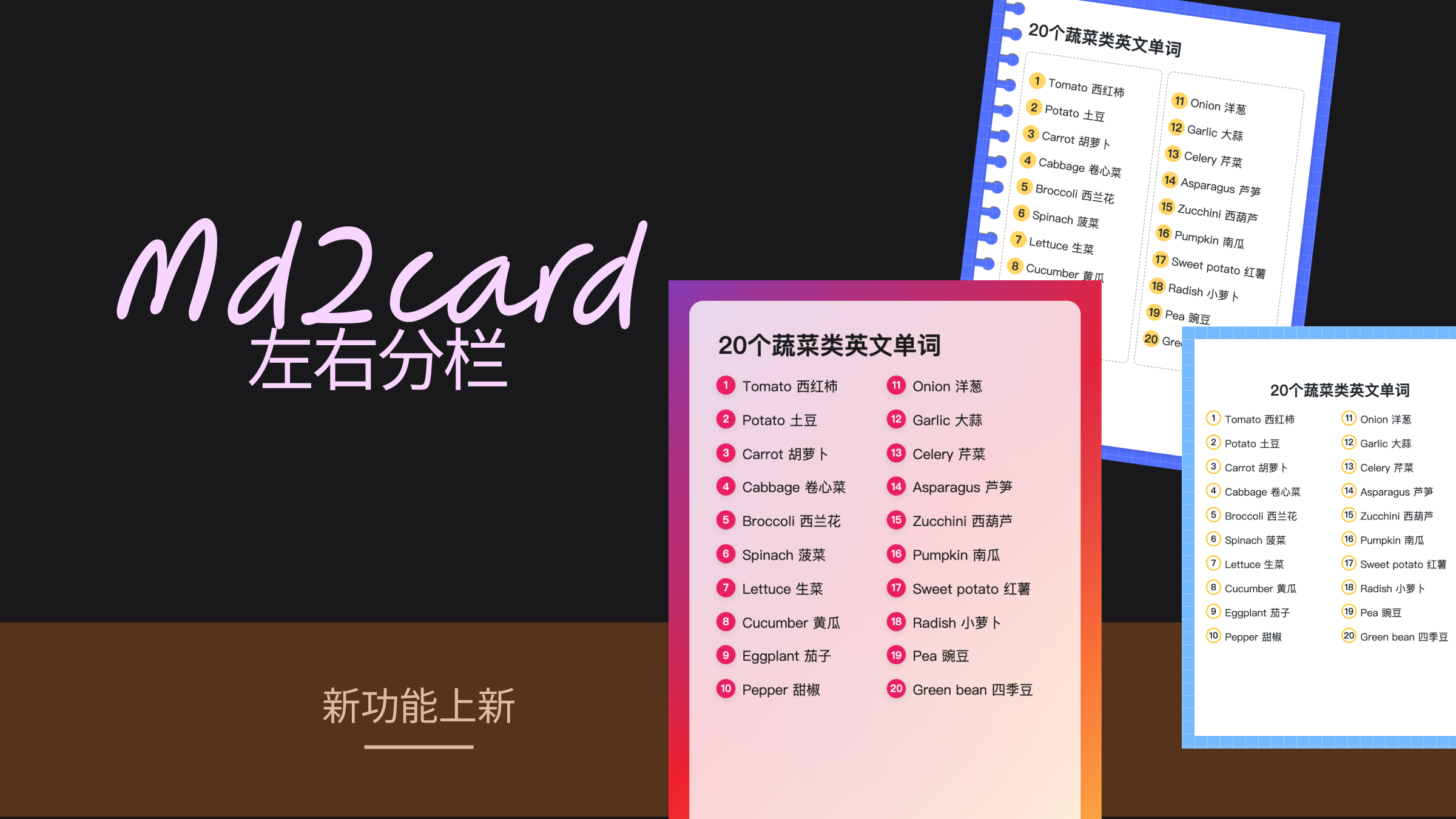
We're excited to announce that MD2Card now supports left-right column layouts and left-center-right three-column layouts! This new feature makes your Markdown card creation more flexible, allowing you to create content with better hierarchy.
Quick Start
Two-Column Layout
Use :::left and :::right syntax to create a two-column layout:
:::left
**Left Content**

- Item 1
- Item 2
:::

:::right
**Right Content**
- Item 3
- Item 4
:::
Three-Column Layout
Similarly, use :::left, :::center, and :::right to create a three-column layout:
:::left
Left Content
:::

:::center
Center Content
:::

:::right
Right Content
:::
Use Cases
With column layouts, you can:
- Comparison Display: Compare different content side by side
- Side-by-side Lists: Display related but independent lists
- Image-Text Mix: Text on one side, images on the other
- Multi-column Cards: Create more complex information architecture
Notes
- Column syntax needs to be wrapped with
::: - Currently supports
left,center,rightpositions - Adjacent columns will automatically combine into a unified layout
- On small screens, it will automatically stack vertically
Summary
Column layout is a powerful new feature of MD2Card, giving your Markdown cards more possibilities. Try it out!
If you have any suggestions or questions, please feel free to feedback via hi@md2card.com.